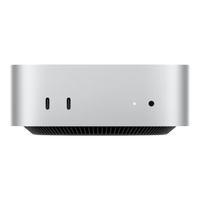
Apple's desktops at alAsil come in two shapes: the compact Mac mini and the workstation-class Mac Studio. Both bring your own display, keyboard and mouse; the difference is how far the power goes.
The quick answer
| Model | Chips at alAsil | Best for |
|---|---|---|
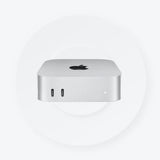
| Mac mini | M2, M2 Pro, M4, M4 Pro | Everyday desktop, development, home office: the value king |
| Mac Studio | M1 Max/Ultra to M3 Ultra and M4 Max | Video suites, 3D, audio production, heavy multitasking |
Mac mini: small box, serious Mac
The Mac mini with M4, and M4 Pro for more cores, is the most affordable way to a fast Mac desktop. It disappears behind a monitor and handles office work, coding and creative apps with ease; the M2 generation remains available at friendlier prices.
Mac Studio: the workstation
The Mac Studio takes Max and Ultra chips, up to M3 Ultra and M4 Max at alAsil, for people whose timeline is money: editors, 3D artists, ML developers. Every configuration lists its exact CPU and GPU cores in the title.
Complete the desk
Pair either machine with the Apple Studio Display and Magic Keyboard and Mouse for the full setup.
FAQ
Which for programming? The mini M4 or M4 Pro covers most development; go Studio when builds and containers eat your day.
Does the box include a display? No; both are bring-your-own-display desktops.
Warranty and payments? Genuine Apple with warranty, free UAE delivery, Tabby and Tamara installments.
Browse all options in the Mac desktops collection.